点击分享即可复制帖子链接加标题
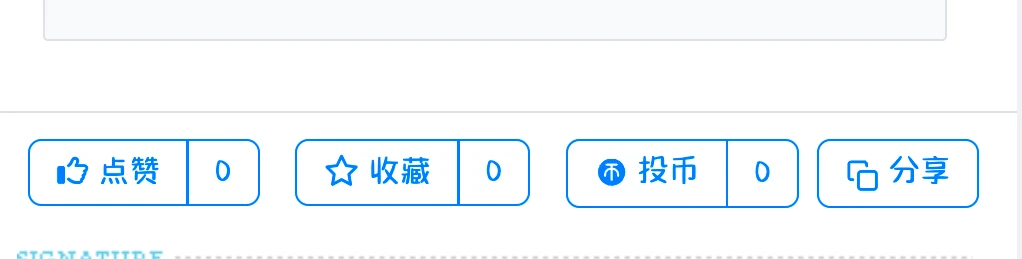
首页我们在任意一个启用的插件hook里面创建一个thread_plugin_body.htm文件夹📁
在输入以下代码就搞定了
<?php
!defined('DEBUG') AND exit('Access Denied.');

// 获取当前URL
$current_url = (isset($_SERVER['HTTPS']) && $_SERVER['HTTPS'] === 'on' ? "https" : "http") . "://" . $_SERVER['HTTP_HOST'] . $_SERVER['REQUEST_URI'];

// 获取页面标题并过滤为纯文本
$page_title = '';
if (isset($thread['subject'])) {
    // 如果是帖子页面,过滤帖子标题
    $page_title = strip_tags($thread['subject']); // 移除HTML标签
    $page_title = htmlspecialchars_decode($page_title); // 转换HTML实体为普通字符
    $page_title = preg_replace('/[\x00-\x1F\x7F]/u', '', $page_title); // 移除控制字符
} elseif (isset($head_title)) {
    // 如果有全局标题变量
    $page_title = strip_tags($head_title); // 移除HTML标签
    $page_title = htmlspecialchars_decode($page_title); // 转换HTML实体为普通字符
    $page_title = preg_replace('/[\x00-\x1F\x7F]/u', '', $page_title); // 移除控制字符
} else {
    $page_title = '分享内容'; // 默认标题
}

// 限制标题长度,避免过长
if (mb_strlen($page_title, 'UTF-8') > 100) {
    $page_title = mb_substr($page_title, 0, 100, 'UTF-8') . '...';
}

// 构建要复制的完整内容(纯文本格式)
$copy_content = "【{$page_title}】\n{$current_url}";
?>
<div class="fox-reward pl-2">
    <!-- 分享按钮 -->
    <span class="btn-group" role="group">
        <button class="btn btn-outline-primary share-btn" data-link="<?php echo htmlspecialchars($current_url); ?>" data-title="<?php echo htmlspecialchars($page_title); ?>" data-content="<?php echo htmlspecialchars($copy_content); ?>" title="分享链接">
            <svg width="13" height="13" viewBox="0 0 24 24" fill="none" stroke="currentColor" stroke-width="2" stroke-linecap="round" stroke-linejoin="round" class="icon-clone">
                <rect x="9" y="9" width="13" height="13" rx="2" ry="2"></rect>
                <path d="M5 15H4a2 2 0 0 1-2-2V4a2 2 0 0 1 2-2h9a2 2 0 0 1 2 2v1"></path>
            </svg> 分享
        </button>
    </span>
</div>

<script>
document.addEventListener('DOMContentLoaded', function() {
    const shareBtn = document.querySelector('.share-btn');
    if (!shareBtn) return;

    shareBtn.addEventListener('click', function() {
        // 获取格式化后的完整内容
        const content = this.getAttribute('data-content');
        if (!content) {
            alert('分享内容为空,请检查配置');
            return;
        }

        // 优先使用现代 Clipboard API
        if (navigator.clipboard && window.isSecureContext) {
            navigator.clipboard.writeText(content).then(() => {
                showCopySuccess(this);
            }).catch(err => {
                console.error('复制出错:', err);
                fallbackCopy(content, this);
            });
        } else {
            fallbackCopy(content, this);
        }
    });

    function showCopySuccess(button) {
        const originalHTML = button.innerHTML;
        const title = button.getAttribute('data-title') || '内容';
        button.innerHTML = `
            <svg width="13" height="13" viewBox="0 0 24 24" fill="none" stroke="#007bff" stroke-width="2" stroke-linecap="round" stroke-linejoin="round" class="icon-check">
                <polyline points="20,6 9,17 4,12"></polyline>
            </svg> 已复制
        `;
        button.classList.add('btn-primary');
        button.classList.remove('btn-outline-primary');

        setTimeout(() => {
            button.innerHTML = originalHTML;
            button.classList.remove('btn-primary');
            button.classList.add('btn-outline-primary');
        }, 2000);
    }

    function fallbackCopy(content, button) {
        const textarea = document.createElement('textarea');
        textarea.value = content;
        textarea.style.position = 'fixed';
        textarea.style.opacity = 0;
        document.body.appendChild(textarea);
        textarea.select();

        try {
            const successful = document.execCommand('copy');
            if (successful) {
                showCopySuccess(button);
            } else {
                // 如果复制失败,显示包含标题的提示框
                const title = button.getAttribute('data-title') || '内容';
                const url = button.getAttribute('data-link') || '';
                prompt(`请手动复制以下内容:\n\n【${title}】\n${url}`, '');
            }
        } catch (err) {
            console.error('复制出错:', err);
            const title = button.getAttribute('data-title') || '内容';
            const url = button.getAttribute('data-link') || '';
            prompt(`请手动复制以下内容:\n\n【${title}】\n${url}`, '');
        } finally {
            document.body.removeChild(textarea);
        }
    }
});
</script>
最后于 8月前
被清风编辑
,原因: